ImageMake
  • Create
  • AI Image
    • Open Image WorkspaceCreate or edit images with all supported models
    • GPT Image 2NewOpenAI image generation and reference-guided editing
    • Nano Banana 2NewFast Google image generation with multi-reference editing
    • Nano Banana ProHigh-fidelity Google image generation and editing
    • Nano Banana FlashFast, efficient image generation and editing
    • Seedream 5.0NewHigh-detail creative image generation
    • Flux 2Flexible generation and reference-based editing
    • Qwen Image 2Versatile image generation with strong text rendering
    • Z-ImageFast open-weight image generation
  • AI Video
    • Open Video WorkspaceCreate videos with all currently connected models
    • MiniMax H3NewExplore MiniMax H3 workflows with a transparent Grok-powered preview
  • Tools
  • Pricing
English
  • English
  • 中文
  • 日本語
  • 한국어
  • Español
  • العربية
  • 繁體中文
ImageMake

Create Images with GPT Image 2 and More AI Models

Start with GPT Image 2 for text-to-image generation or reference-guided editing. Choose the ratio and resolution shown for the model, review the current credit cost, and compare another supported model when the project needs a different workflow.

Loading...

Prompt:

1:1

16:9

9:16

4:3

3:4

Model:

Loading...

Scene Examples 1

GPT Image 2

GPT Image 2 Generator

Use GPT Image 2 on ImageMake to create images from text prompts or guide edits with reference images. Choose from the aspect ratios and resolution settings shown in the generator, then refine your prompt or compare another model when the project needs a different workflow.

GPT Image 2 Generator
GPT Image 2 Prompt Examples

GPT Image 2 Prompts for Product and Campaign Images

Use these practical briefs as starting points in GPT Image 2, then refine the subject, composition, constraints, and final placement for your project.

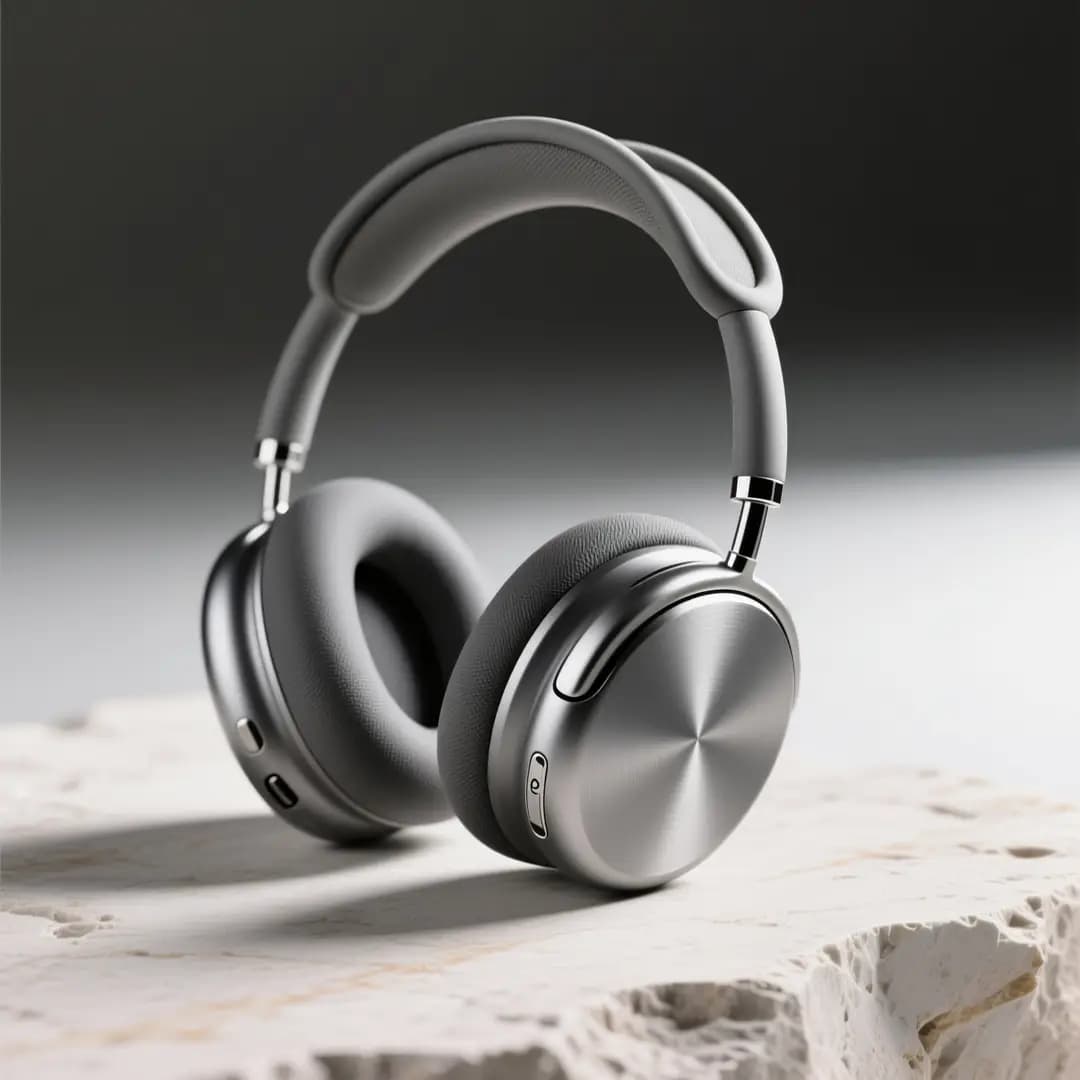
Product Photography

Best fit

Ideal for sharp product still lifes and high-end e-commerce imagery.
Luxury Packaging Hero Shot

Luxury Packaging Hero Shot

Prompt formula

[product] + [surface/background] + [lighting] + [finish] + [usage context]

View prompt detailsExpand

Full prompt

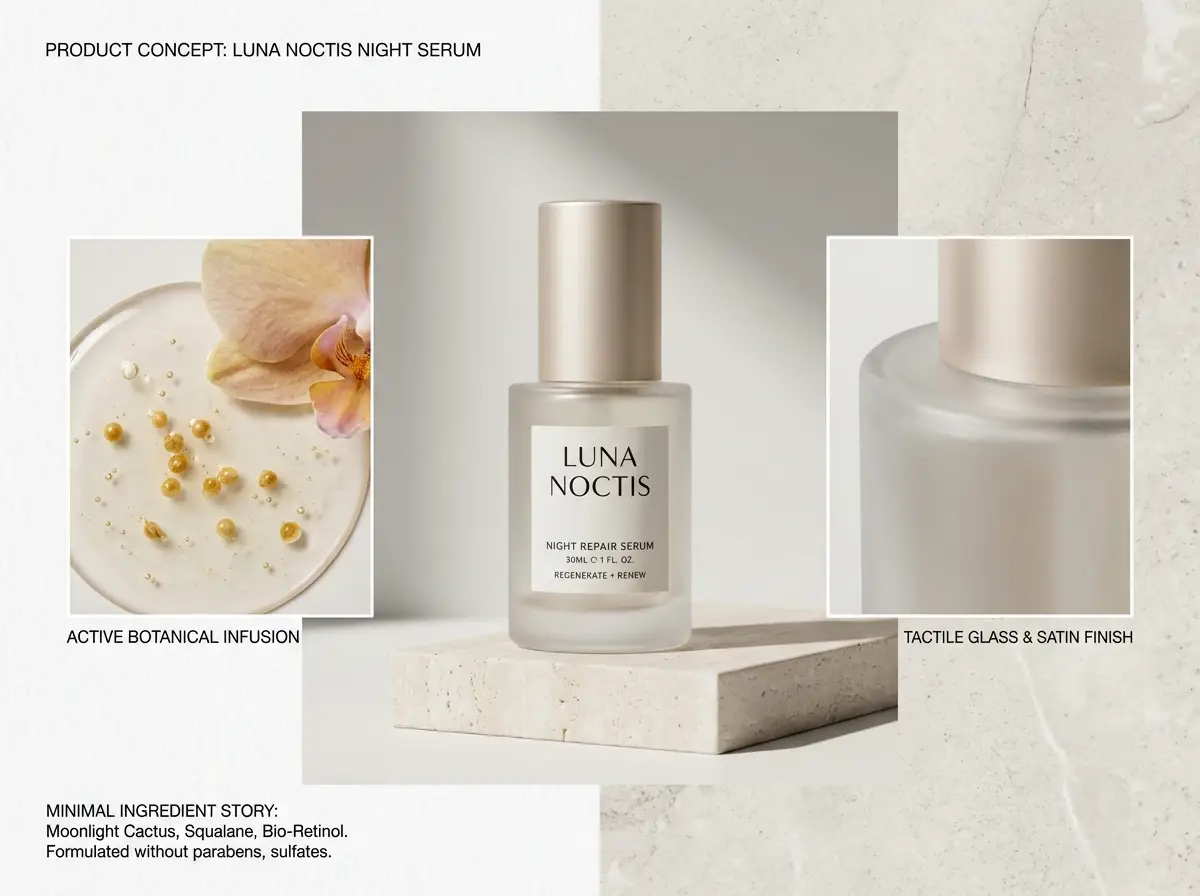
A luxury skincare bottle resting on a warm stone plinth, soft directional studio lighting, subtle shadow gradient, clean e-commerce hero shot, realistic surface reflections, modern luxury packaging, minimalist background, polished commercial photography finish

Why it works

This prompt is detailed, material-focused, and clear about lighting and commercial finish needs.

Output goal

A polished product shot perfect for a landing page hero, product detail page, or ad mockup.

Tips

  • Pinpoint your product and surface first before setting the overall mood.
  • Add material-specific terms like glass, matte, brushed metal, or paper stock.
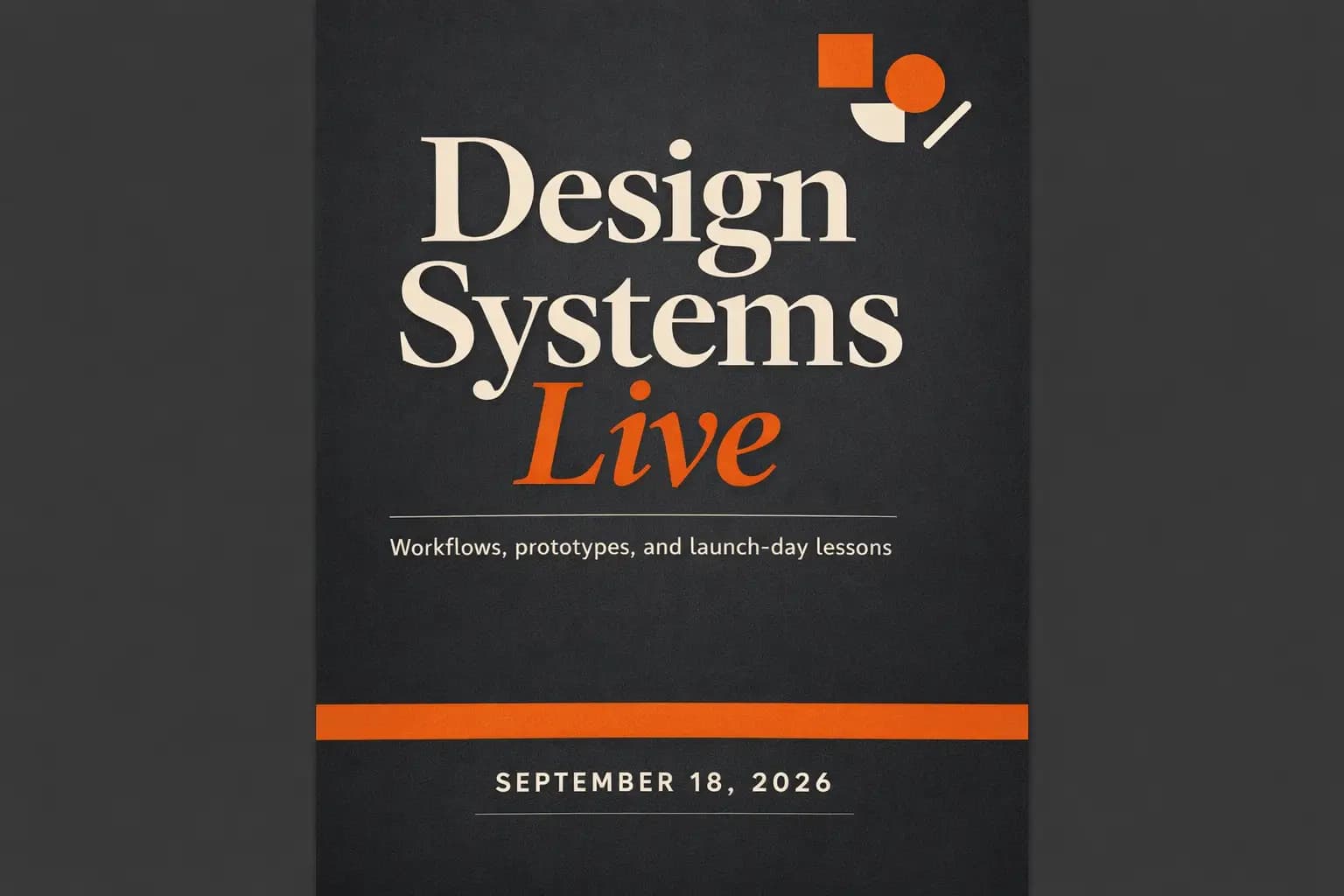
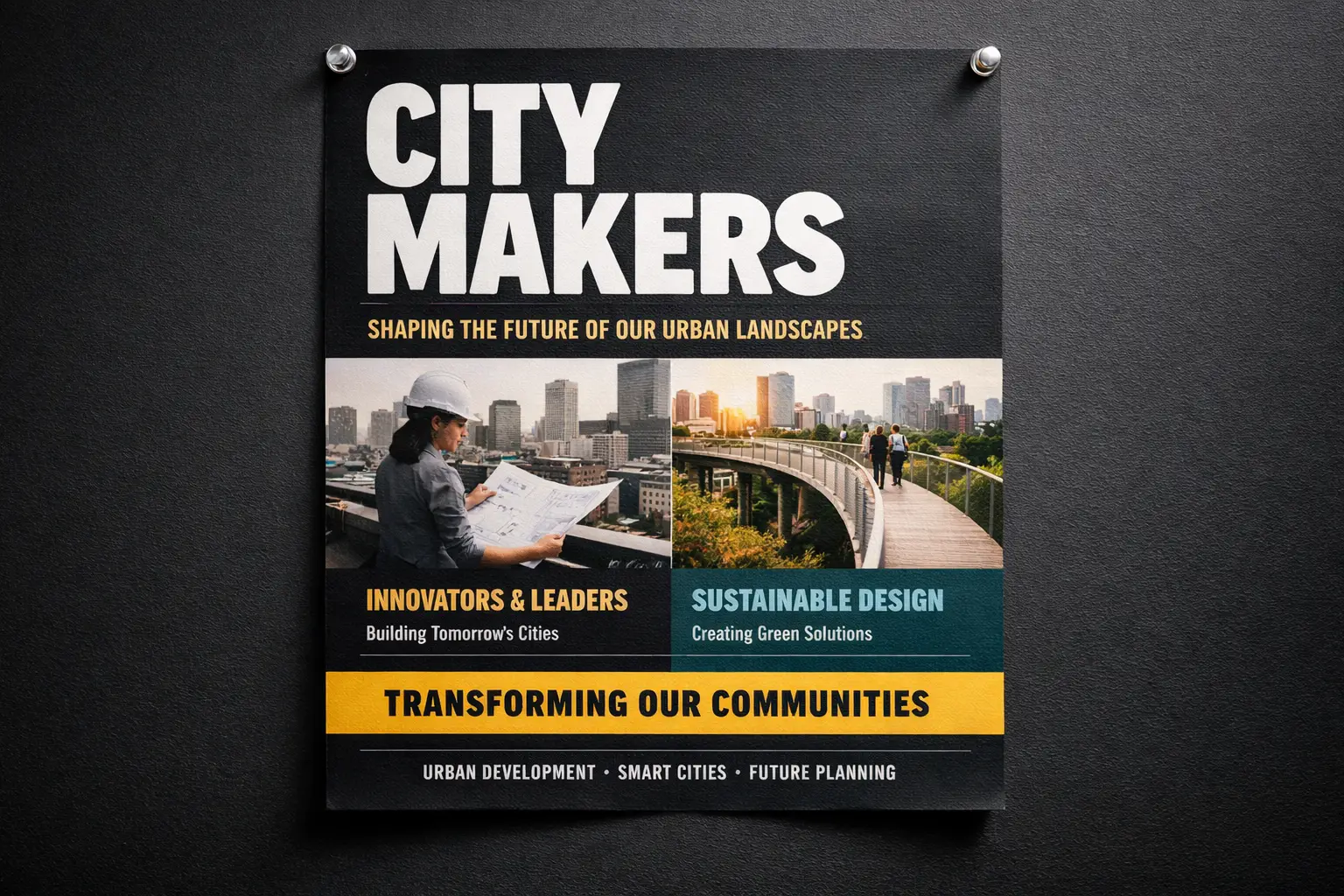
Text-Heavy Poster

Best fit

Perfect when your headline, text hierarchy, and poster layout are just as important as the visual artwork.

Conference Launch Poster with Sharp, Legible Headline

Conference Launch Poster with Sharp, Legible Headline

Prompt formula

[subject] + [headline text] + [layout hierarchy] + [background style] + [poster intent]

View prompt detailsExpand

Full prompt

Modern design conference launch poster, bold headline "Design Shift 2026", smaller subhead "Creative Systems for Teams", prominent centered text hierarchy, black background with neon cyan and silver accents, premium editorial poster layout, easy-to-read typography, balanced spacing

Why it works

This prompt outlines poster content, text hierarchy, and visual treatment instead of lumping all details into generic style language.

Output goal

A text-focused poster concept with tighter layout direction and sharper typography.

Tips

  • Add exact text in quotation marks when phrasing matters to your project.
  • Map out text hierarchy separately from colors and overall vibe.
Image-to-Image Edit

Best fit

Ideal for targeted edits where your base object or layout needs to stay instantly recognizable.

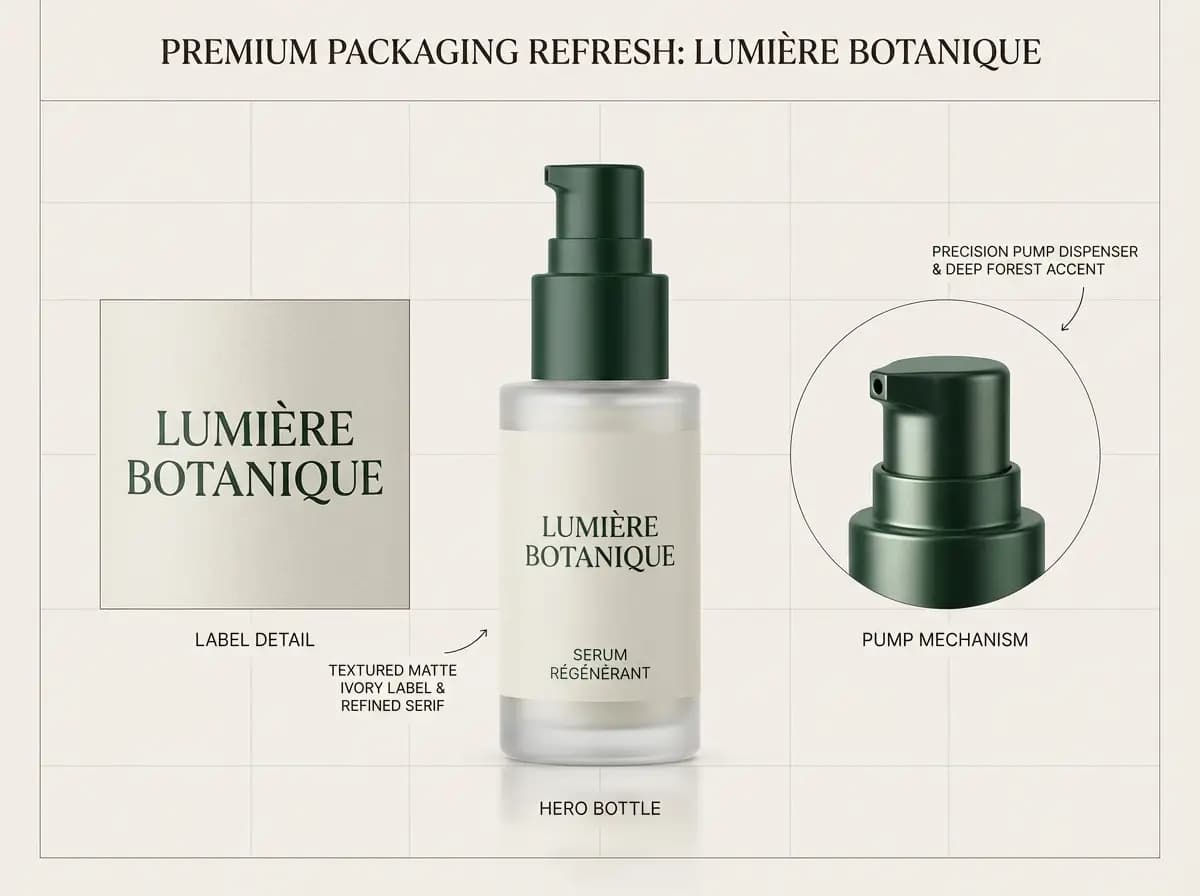
Reference-Driven Packaging Refresh

Reference-Driven Packaging Refresh

Prompt formula

[what stays] + [what changes] + [new style/material/color direction]

View prompt detailsExpand

Full prompt

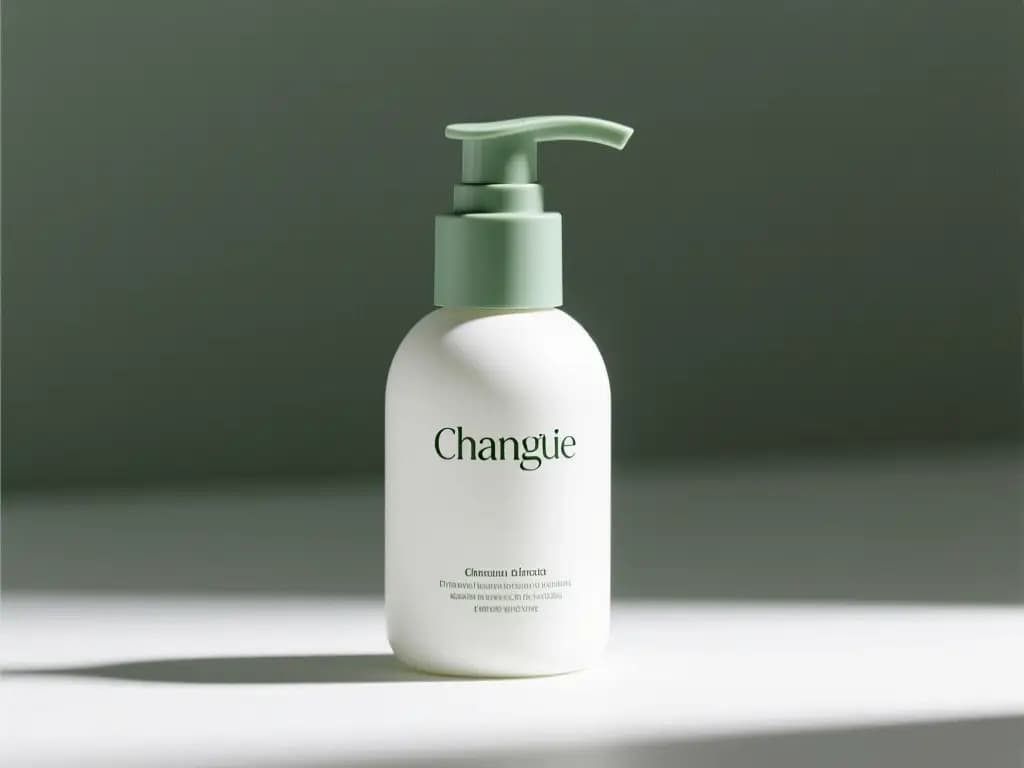
Keep the bottle shape, front-facing layout, and cap structure from the reference photo. Tweak the packaging to matte white with desaturated sage accents, softer editorial studio lighting, elevated premium skincare branding, cleaner retail presentation, and subtle shadow control

Why it works

This prompt first lists which elements need to stay consistent before requesting the edit, reducing unintended visual changes.

Output goal

A targeted refresh that keeps product identity intact while upgrading the overall visual system.

Tips

  • Put consistent elements first in your prompt.
  • Draft your edit request with more detail than your initial creative idea.
Campaign Creative

Best fit

Perfect for polished editorial campaigns where mood, finish, and styling drive the overall visual effect.

Luxury Fashion Campaign Shot

Luxury Fashion Campaign Shot

Prompt formula

[subject] + [styling] + [camera feel] + [lighting] + [campaign finish]

View prompt detailsExpand

Full prompt

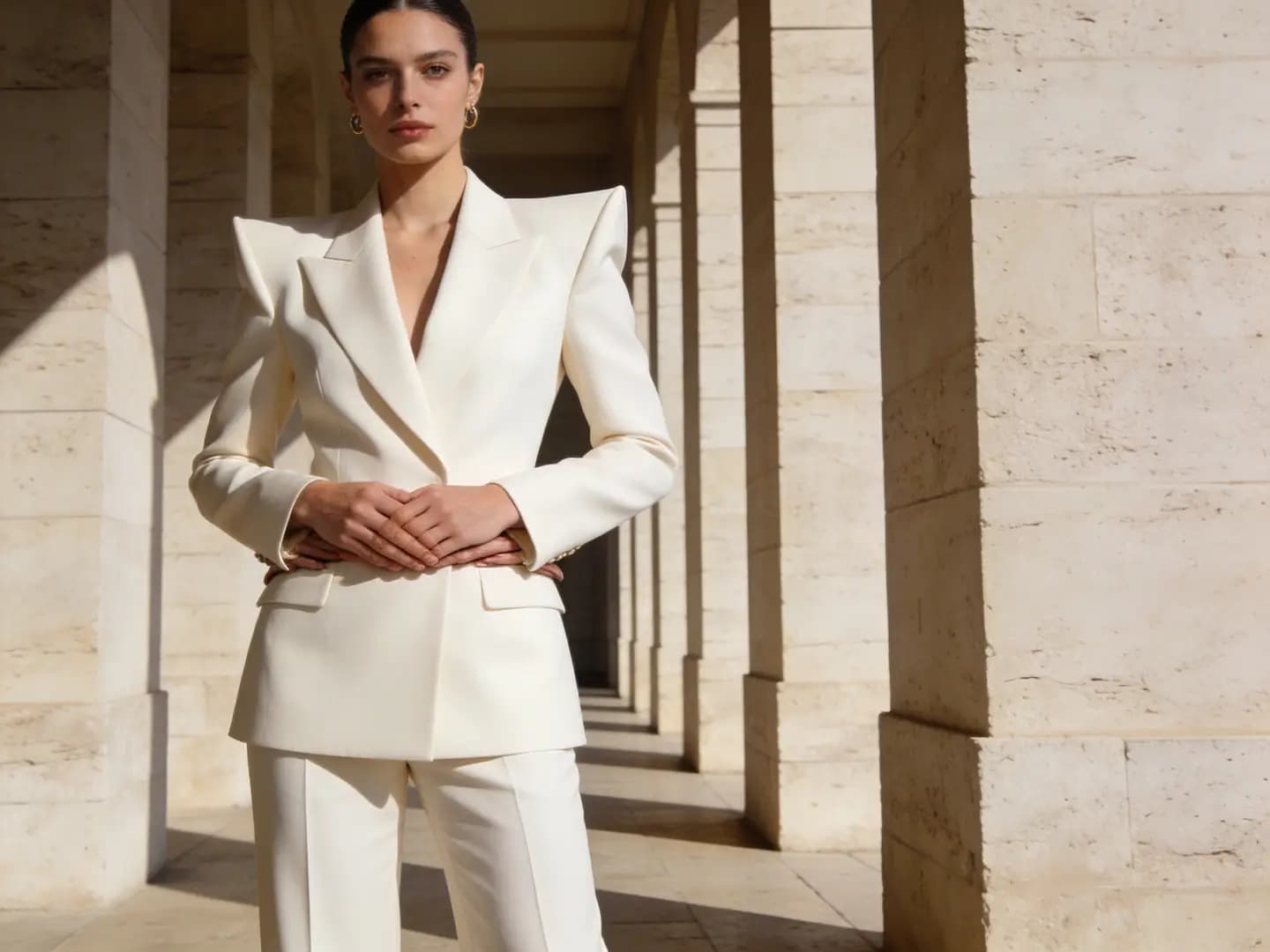
Editorial fashion campaign shot, self-assured model in structured cream tailoring, medium frame, luxury boutique lighting, subtle shadow falloff, glossy magazine-grade finish, premium styling, muted color palette, high-resolution campaign image for a luxury brand launch

Why it works

This prompt gives the model a clear editorial use case, limited color palette, and premium finish target.

Output goal

A polished campaign-style shot you can reuse for lookbooks, ads, or hero banners.

Tips

  • Focus on one strong fashion or commercial context instead of multiple overlapping concepts.
  • Stick to a limited color palette for a luxurious, unified final outcome.
GPT Image 2 First Workflow

Start with GPT Image 2, Then Compare When Needed

Define the visual target, generate with GPT Image 2, and switch only when another model better matches the required inputs, controls, or output direction.

01

Define Your Visual Target

Start by laying out your subject, layout, and intended use case—from product photography, event posters, social media graphics to concept art.

02

Add One Reference Image for Greater Precision

Upload one reference image when product identity, exact framing, brand style, or text placement needs more precise creative control.

03

Generate with GPT Image 2.0, Then Compare if Needed

Create the commercial draft with GPT Image 2.0, then switch models only when the result needs a different style, edit behavior, or composition.

GPT Image 2 and Model Comparison

Use GPT Image 2 as the Core Image Workflow

Create from text or work with reference images in GPT Image 2, then compare another supported model only when the project has different input, cost, provider, or visual requirements.

GPT Image 2 by Default, Other Models on Demand

Start with GPT Image 2, then compare GPT-4o, Nano Banana, Seedream, Flux, Qwen, and Z-Image without restarting the full generation workflow.

Start with GPT Image 2.0 for product, social, and ad creative.
Switch models only when the first result needs a different visual direction.
Keep prompt, ratio, and commercial use case in one workspace.
Create Your AI Image Now

Text Prompts or One Reference Image

Start with a prompt, or add one reference image when product identity, framing, or brand style needs extra control.

Use text-to-image for a new commercial concept.
Use one reference image for a guided product or campaign edit.
Keep the prompt and reference image aligned to one clear output goal.
Create Your AI Image Now

Ideal for Layout, Text, and Campaign Design

Use GPT Image 2.0 for commercial layouts, product visuals, social media graphics, and campaign concepts that need clear prompt alignment.

Use GPT Image 2.0 for text-led product and social creative.
Pick Seedream or Flux for different levels of visual polish.
Compare model families before locking in your campaign’s creative vision.
Create Your AI Image Now

Hosted Simplicity First, Advanced Model Tools Down the Line

If a specific image model matches your needs, you can head to its dedicated page for more detailed prompt examples, validation, and tailored workflow support.

Stay focused on flexibility when speed is your top goal.
Adjust your workflow down the line when model-specific precision is most important.
Keep your initial generation process straightforward and intuitive.
Create Your AI Image Now
Popular Creative Use Cases

High-Value GPT Image 2.0 Use Cases

Use GPT Image 2.0 for commercial outputs that can support product listings, paid social, launches, and brand campaigns.

Product & Packaging Imagery

Generate product hero shots, retail mockups, e-commerce still lifes, and core campaign visuals.

Posters & Social Media Graphics

Design launch posters, ad layouts, and platform-specific graphics where text readability and intentional layout are top priorities.

Reference-Driven Image Edits

Start with one or more reference photos and tweak style, materials, color palette, framing, or background to align with your creative vision.

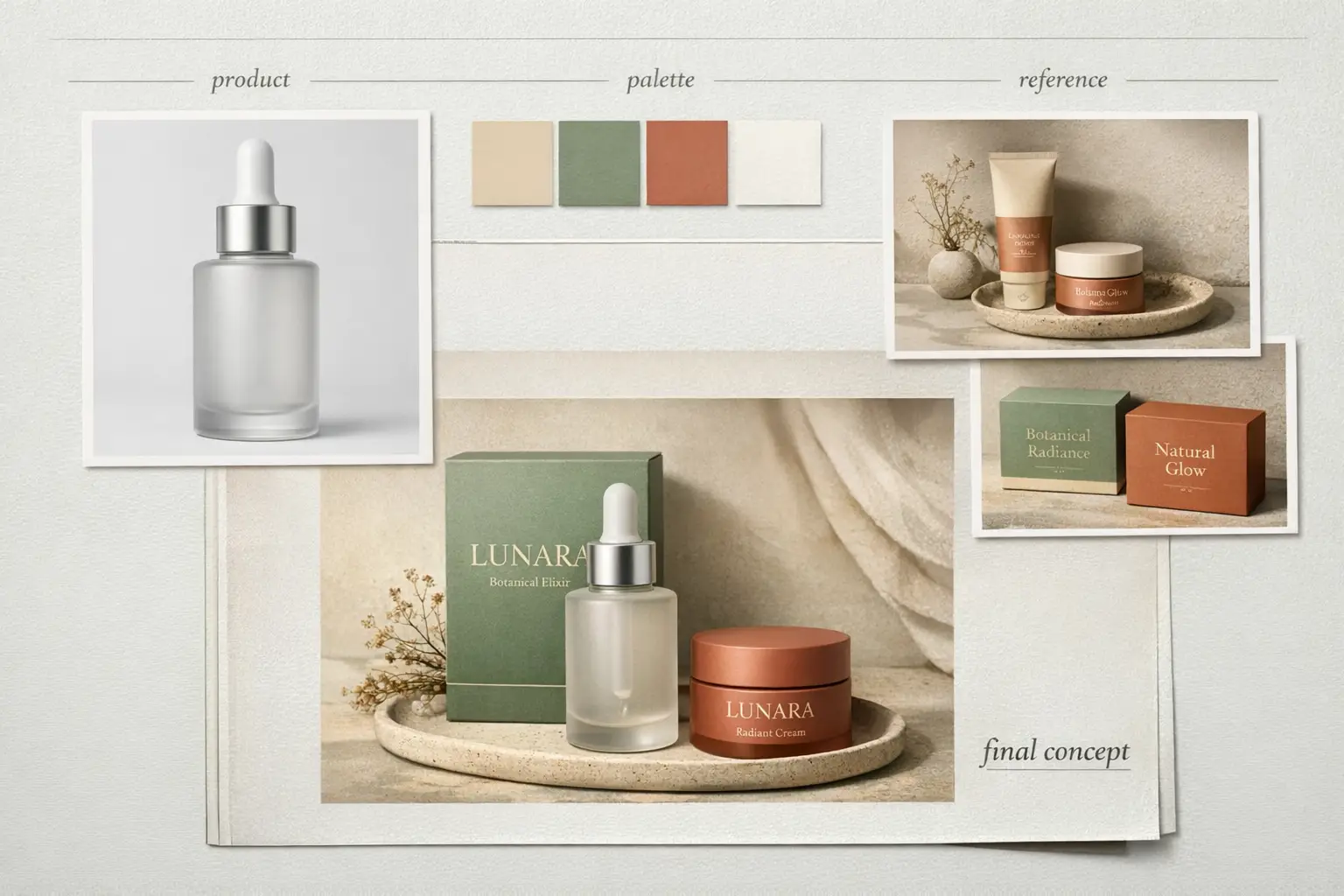
Concept Boards & Art Direction

Use multiple models to compare mood, finish, and visual tone before locking in your core creative vision.

When To Use This Image Generation Workspace

Use This Workspace to Compare Models & Generate Images Fast

Use this workspace when your workflow is clear but you’re unsure which model will deliver the best results. Start with a broad approach, then narrow your focus once a model family matches your exact needs.

Use This Workspace for Unified AI Image Generation

Perfect if you want to switch between text-to-image and image-to-image quickly, compare multiple model families, and keep a streamlined workflow.

Use a Dedicated Model Page Once You’ve Picked Your Tool

Head to a model-specific page when you’ve already decided you want GPT-4o, Z-Image, Seedream, Flux, or Seedance and need more detailed prompt templates or model-specific validation.

FAQs

FAQ

What can I generate here?

You can generate text-to-image and image-to-image assets all in one single workspace, then switch models at any time to get a one-of-a-kind prompt outcome, sharper text, or a unique visual style.

Which image models are available?

GPT Image 2 is the default option. You can also compare GPT-4o, Nano Banana Pro, Nano Banana 2, Seedream, Flux, Qwen Image, Z-Image, and Nano Banana Flash. Available inputs, ratios, resolutions, and credit costs vary by model.

Can I use reference images here?

Yes. GPT Image 2.0 supports one reference image, so you can preserve product identity, guide the composition, or request an on-brand edit from an existing visual.

How do I choose the right model?

Start with GPT Image 2 when you need text generation and reference-guided editing in one workflow. Compare another model when its input limits, credit cost, visual direction, provider, or deployment options better match the project.

Do all models support the same ratios and inputs?

Definitely not. This workspace will only show aspect ratios, image upload caps, and resolution presets that your currently selected model natively supports.

When should I use this page instead of a dedicated model page?

Choose this page if you want to jump straight into generation and compare multiple image models without extra hassle. Head to a dedicated model page once you’ve settled on a specific tool and want more detailed prompt examples and tailored, model-specific guidance.

Still have questions? Our support team is ready to help.

Key Navigation Links

Top Dedicated AI Image Model Hub Pages

Head to a dedicated image model page once a specific family matches your creative goals.

GPT-4o AI Image Generation Tool

Perfect for projects where text readability, diagram generation, and exact prompt alignment are critical.

Explore Our Curated Set of Associated AI Models

Nano Banana Pro

Ideal for high-end hosted image generation and powerful multi-image editing tools.

Explore Our Curated Set of Associated AI Models

Nano Banana 2

Excellent for grounded generation or when you need more detailed, richer image context.

Explore Our Curated Set of Associated AI Models

Seedream 4 AI Image Generation Tool

Perfect for polished, campaign-ready visuals and a unique hosted image generation experience.

Explore Our Curated Set of Associated AI Models

Z-Image AI Image Generator

Ideal for open-source model workflows and when you want to switch to self-hosted implementation down the line.

Explore Our Curated Set of Associated AI Models

Flux 2 AI Image Generation Tool

Perfect if you want an alternative route to polished art direction and prompt-led image generation.

Explore Our Curated Set of Associated AI Models

Create with GPT Image 2.0

Choose a commercial prompt, add an optional reference image, and generate your first product or social creative.

Create AI Image Now
Resources
  • Create
  • Pricing
  • Image to Prompt
  • Batch Image to Prompt
Company & Legal
  • About
  • Contact
  • Privacy Policy
  • Terms of Service
  • Refund Policy
AI Image
  • Nano Banana Pro
  • Nano Banana 2
  • GPT-4o
  • Seedream 4.5
  • Seedream 4.0
  • Flux 2 Pro
  • Flux 2
  • Qwen Image 2
  • Z-Image
  • NanoBanana Flash
ImageMake

ImageMake.pro | AI Image Generation and Editing Workspace

support@imagemake.pro

This website is an independent third-party platform. We are not affiliated with, endorsed by, or officially representing any AI model providers referenced on this site. All trademarks and brand names belong to their respective owners.

© 2026 ImageMake.pro. All rights reserved.

Privacy Policy